
How it works
Hand it a job once. Ozzie keeps watch and comes to you.
Ozzie is a Mac app that reads your church's Planning Center. You tell it what to keep an eye on, it checks on its own, and it brings you the few things that need a person to decide.
1. Hand it a job
In Ask Ozzie, say what you want watched in ordinary words, for example “Keep an eye on Sunday coverage until Sunday”, “Tell me about room bookings that collide”, or “Give me a morning briefing”. Ozzie answers with a short plan card:
- what it will watch;
- which accounts it reads (and that it only reads them);
- when it checks, and when it will tell you;
- when the job ends, and its limits;
- how to stop it sooner.
Nothing starts until you choose Looks good — start it. The limits on the plan are enforced on your Mac every time it runs. If Ozzie is already keeping an eye on the same thing, it says so instead of starting a second copy.
2. It keeps watch
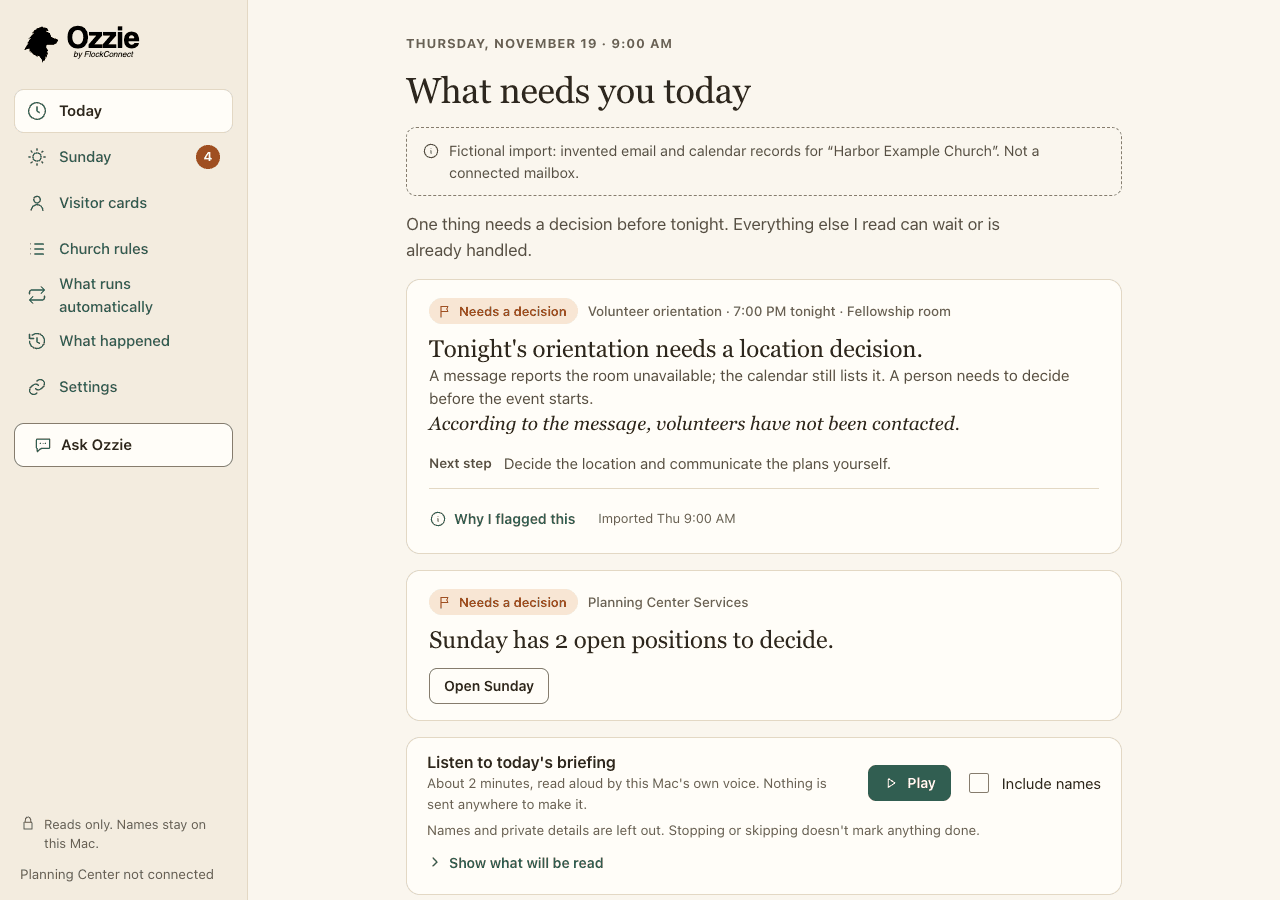
Close the window. Ozzie stays in the menu bar and checks Planning Center on schedule, and again when something there changes. It respects the quiet hours you set, and you can pause everything at once from What runs automatically, which lists each job with its last check, its next check and how many checks it has used today.
Honest limit: Ozzie keeps watch only while your Mac is awake and Ozzie is running. If your Mac was asleep, it catches up once and tells you about checks it missed or couldn't finish. Checks that run when your Mac is off are planned for managed plans later.
3. It comes to you
When something needs a decision, a discreet notice appears. Its text never holds a name or a detail; it just says there is something to look at. Open Ozzie and the work is prepared: the facts, where each one came from, when it was checked, and a draft note if one would help. A short daily briefing can be read on screen or spoken by your Mac's own voice, with nothing sent anywhere to make it.
What Ozzie looks at
Ozzie reads Planning Center Services (plans, positions, who is scheduled and how they replied). With your consent it also reads Calendar room bookings, People workflow cards and Groups events. It reads with a fixed list of read requests and has no way to write.
Serving roles that still need someone
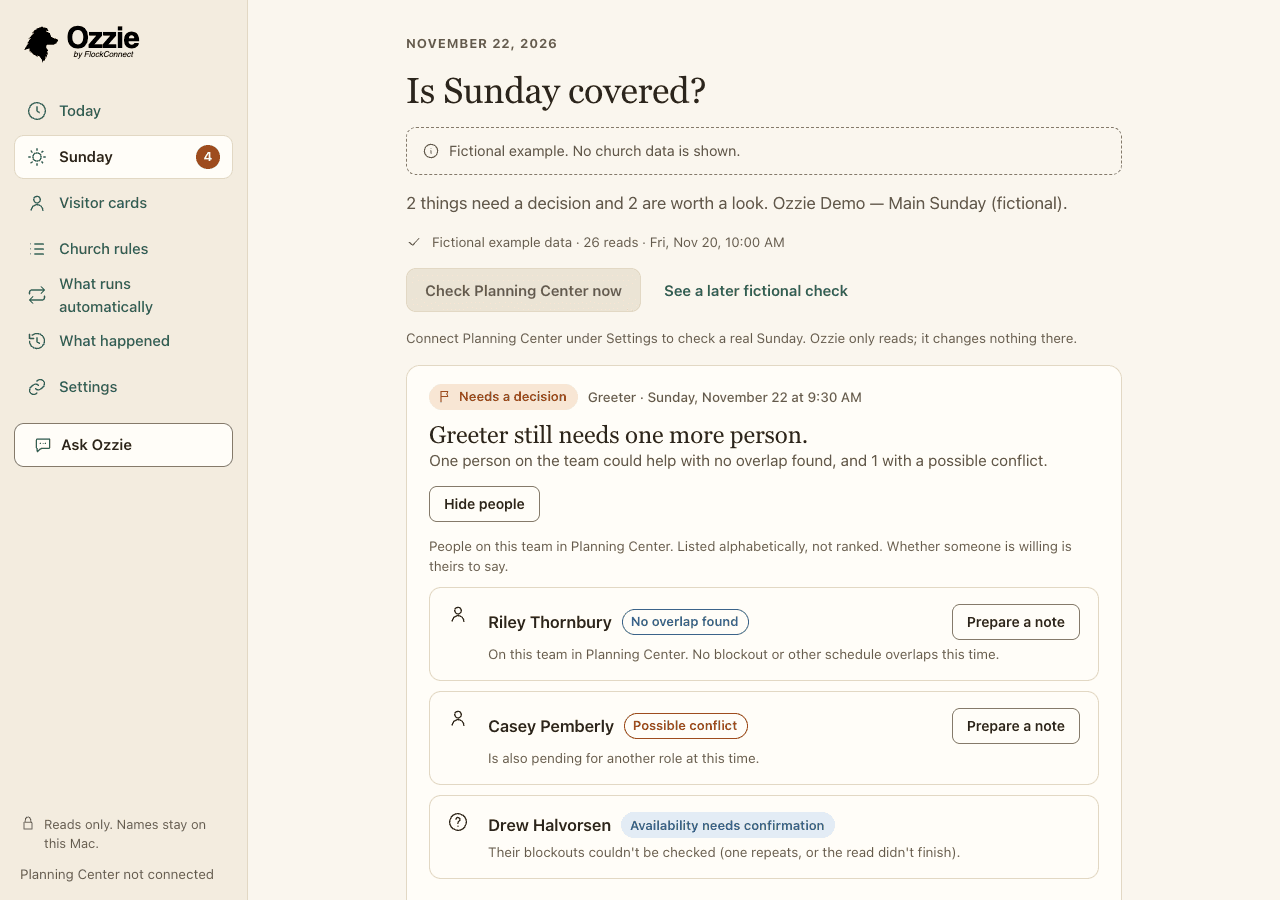
Which positions on Sunday's plan are still open, and who on that team could help: no overlap found, a possible conflict, or left out, with the reason for each. Nobody is ranked.
Requests waiting on an answer
People who haven't replied to a request yet, and requests that were prepared but never sent, so nobody is waiting on an email that didn't go out.
Several Sundays in a row
Who has served a number of Sundays in a row by your church's own rule, so a leader can check in. It's about care, not performance.
Rooms booked twice
Room bookings in Planning Center Calendar that overlap, including the setup time your church rules give a room.
Follow-ups with no owner
Welcome and follow-up cards in Planning Center People that have nobody assigned, so a guest doesn't fall between two desks.
Group nights that clash with serving
Planning Center Groups meetings that fall at the same time as someone's Sunday assignment.
Who could help, without ranking anyone
For a role that still needs someone, See who could help lists the people on that team in Planning Center, alphabetically. Each has a plain reason: no blockout or other schedule overlap found, a possible conflict (for example, pending for another role at the same time), or availability that needs confirming. Show left out and why explains everyone who isn't listed. Whether someone is willing is theirs to say.
Drafts you send yourself
Prepare a note writes a short draft to a volunteer, or to a team's leader when nobody on the team is clear. You can ask for different wording, such as warmer or shorter. Then you copy it and send it from your own email or phone. Ozzie never sends.
When you've handled it elsewhere
Sometimes the answer is a hallway conversation. Mark a decision Covered outside Planning Center for this Sunday and add a short note. If the facts underneath change, Ozzie brings it back and says what changed.
Church rules
Your church sets the rules Ozzie checks against: how many Sundays in a row is worth a check-in, which rooms can't be shared, how much setup time a room needs. Every finding says which rule it relates to, and Why I flagged this shows the facts behind it. See how this works shows the exact written steps Ozzie follows.
Ask about what it read
Ask a question such as “Who could cover Greeter?” and Ozzie answers from what it read, putting people in no particular order. When AI helps with a question, it chooses which facts answer it; Ozzie writes the answer on your Mac in fixed wording and puts the names back. If the facts don't say, Ozzie says so.
What happened
What happened lists every check and every question: what Ozzie looked at, when, and how it ended, along with what it didn't check. It never keeps the question, the answer or a name there.
Visitor cards
Photos of printed or typed welcome cards are read on your Mac, checked by a person, copied as a list, and gone when you leave the page. Nothing is stored.
When Planning Center can't be reached
The last check is saved on your Mac and shown with its original time, so you always know how fresh it is.